
|
MyGaDOE |
Version 1.0 |
To view Alerts, complete the following steps:
On your Home page, locate the Alerts bar near the top of the page. A sample Alerts bar is shown in the graphic below.
The Alerts Bar, as it appears with an Alert showing in the scrolling area and the View Alerts link shown in gray to the right
Click the View Alerts link to the right of the Alerts bar, as shown in the graphic above. The View Alerts page displays, as shown in the graphic below.
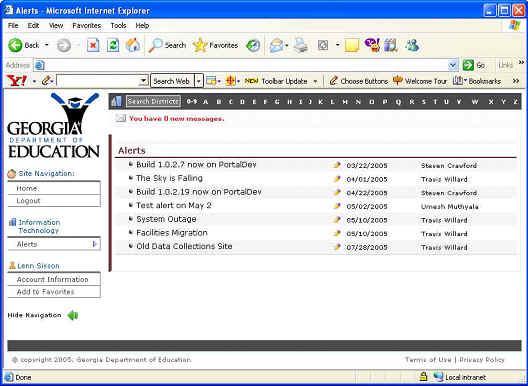
The Alerts Main page, showing a list of all current alerts
To view detailed information about a specific alert, click the name of the alert. The Alert Detail page for that alert displays, as shown in the graphic below.
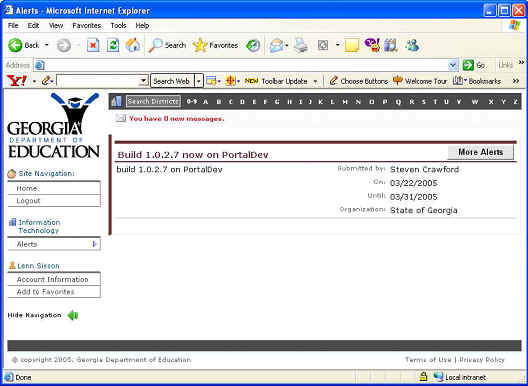
The Alert Detail page, showing the alert and the information associated with it
Users may now view the information for the alert they specified, or click the More Alerts button to return to the View Alerts page. This completes the View Alerts process.