|
MyGaDOE |
Version 1.0 |
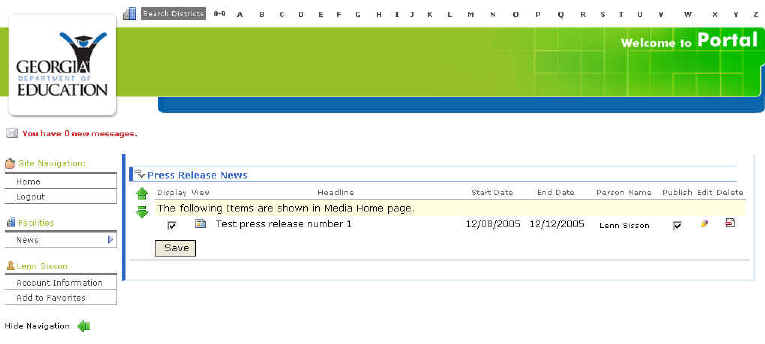
In each of the news item records contained on the View News page (see View News for information about accessing this page) are two check boxes (Display To display an item or page in the Portal. and Publish To publish a news item. To make it available to be displayed. Published news items should not be altered except to correct errors of fact.), as shown below.
The View News page -- Note the two check boxes in the record listed
These control the Display and Publish functions respectively.
To remove a specified news item from being displayed, un-check the Display check box and click the Save button. To display a news item that is published, check the Display check box and click the Save button.
To un-publish a news item, un-check the Publish check box and click the Save button. To publish a news item, check the Publish check box and click the Save button.