|
MyGaDOE |
Version 1.0 |
To update your account information and request access to specific applications, complete the following steps:
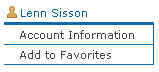
From any page in MyGaDOE, locate Account portion of the Navigation menu along the left side of the page, as shown below. It should be at the bottom of the Navigation menu and be headed by the name of the user who is logged onto MyGaDOE.
The Account section of the Navigation menu
Click the user's name at the top of the section. The Edit User Information page displays, populated with the user profile for the person logged in (the person whose name appears at the top of the section), as shown below.
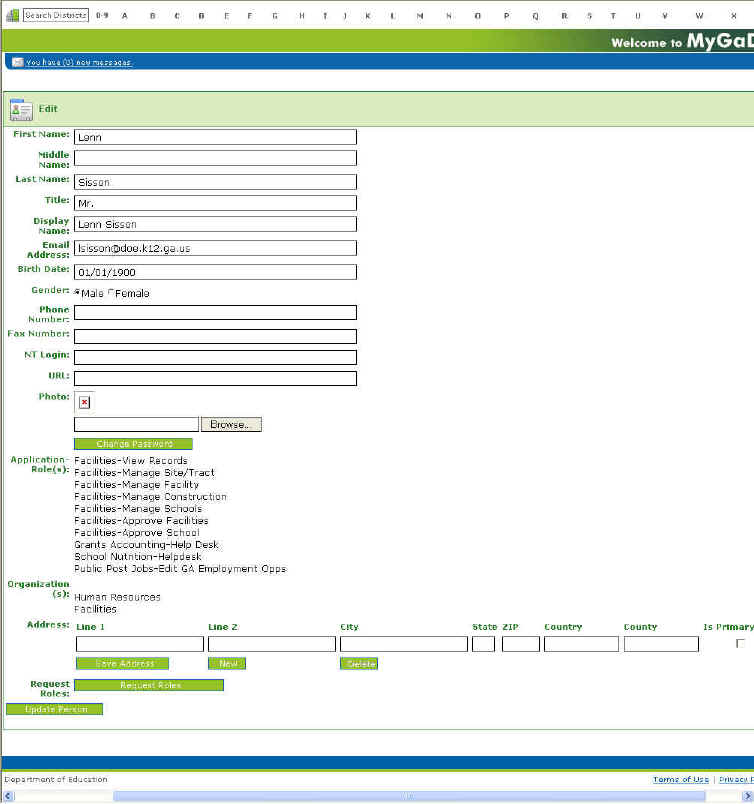
An example of the Edit Account Information page
Edit the appropriate fields.
To change your password, click the Change Password button. The Change Password page displays. Click here to read more about changing your password.
To request additional roles, click the Request Roles button. The Request Provisioning wizard displays.
You will not be able to make changes to the information in Step 1 (the Personal Information). Click the Next button to go to Step 2. Step 2 displays.
Edit the information in Step 2; adding, modifying, and/or deleting information as appropriate.
Click the Next button to go to Step 3. Step 3 displays.
As with step 2, edit the information in Step 3; adding, modifying, and/or deleting information as appropriate.
Click the Next button. Step 4 displays.
Review the changes shown on this page. If necessary, click the Back buttons to return to a previous step and make further changes, then the Next buttons to return to Step 4.
When ready, click the Submit button to submit your requested changes to the appropriate people for approval.
Click here to go to the Request Provisioning help topic where you can review the full provisioning process, which provides part of the functionality of this update process.
This completes the Update User Accounts process. Either click the Logout option near the top of the Navigation menu to log out of MyGaDOE, or select another option from the Navigation menu to perform different task.